Explore Gistr
PricingDownloadsBlog

AI notes for NEET, made from what you already study

Add a NEET lecture from YouTube, an NCERT chapter PDF or a past paper. Gistr turns it into notes, flashcards, quizzes and a study plan, all in one thread.

Student making NEET biology notes from a textbook and a lecture on a laptop

How it works

1. Add your sources

Paste a YouTube lecture link or upload a PDF, like an NCERT chapter, your coaching notes or a previous year paper.

2. Read the notes

Gistr writes notes from each source. Notes from a lecture have timestamps that open the video at that moment.

3. Ask what you missed

Chat with your sources. Ask for a simpler explanation, or ask where the lecture and the NCERT text say different things.

4. Revise and test

Make flashcards and quizzes from the same sources, or a study plan that runs up to your exam date.
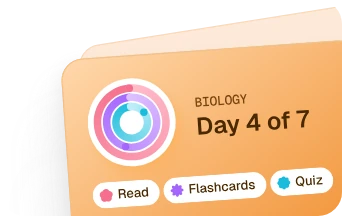
Revise with a plan, flashcards and quizzes

Study plan

Study plan

Pick a source and set your exam date. Gistr splits it into sections, and each one has a short reading, flashcards and a quiz.
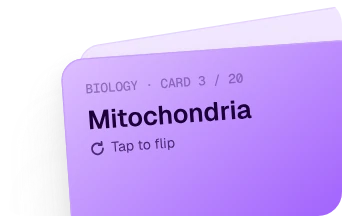
Flashcards

Flashcards

Question and answer, fill in the blank, or true or false. Cards come back just before you are likely to forget them.
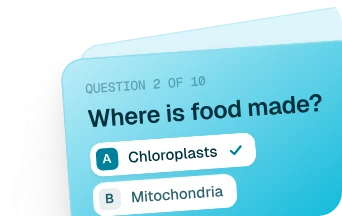
Quizzes

Quizzes

Multiple choice, select all, fill in the blank and short answer. Set it to easy, medium or hard and see what stuck.

More ways to study

Mind maps

Ask for a mind map of a chapter to see how the topics connect before you start revising.

Notes you can edit

The notes are yours. Add your own points, cut what you do not need and keep your coaching tricks next to them.

Long lectures, sorted

Jump through a three-hour lecture by chapter or by transcript line instead of dragging the video bar.

Study in Hindi

Set your AI language to Hindi and Gistr writes your study material in Hindi.

On your phone

Use Gistr in the browser or in the Android and iOS apps. Your threads are the same everywhere.

One thread per chapter

Keep the lecture, the NCERT chapter and your notes for one topic together, so revision starts in one place.

Make notes for your next chapter

Start with one topic you are revising this week.

Add a lecture or an NCERT chapter, read the notes, then take a quiz to see what you remember. The free plan is enough to try it.

Frequently asked questions


Yes. The free plan gives you 500 AI credits every month and you do not need a card to sign up. Notes, chat, flashcards and quizzes use credits, and bigger sources use more. Paid plans with more credits are on the pricing page, with prices in rupees for students in India.

Yes. Upload the NCERT chapter as a PDF and Gistr makes notes from it. Upload one chapter at a time rather than the whole book. The notes stay focused, and you stay inside the file size limit of the free plan.

Any public YouTube video, including long lectures and one-shot revision videos. If a video has no captions, Gistr can transcribe the audio. Private videos do not work.

Yes. Upload a past paper as a PDF into the same thread as your notes. Ask Gistr to explain a question, or to find the part of your lecture or NCERT chapter that covers it. Gistr does not come with NEET papers, so you add your own.

Gistr writes notes from your sources, not from memory, and chat answers show which source they came from. AI can still make mistakes, so check numbers, names and exceptions against NCERT before you learn them.

Yes. Set your AI language to Hindi in your preferences. Study material such as flashcards and quizzes is then written in Hindi, and you can ask questions in Hindi in chat.

Yes. Gistr has apps for Android and iOS, and it also works in the browser. Sign in with the same account and your threads, notes and flashcards are there.

Ready-made notes are written by someone else for every student. Gistr makes notes from the lectures, chapters and papers you are already using, and then quizzes you on them. Many students use both.

Related tools

  • YouTube notebookTake timestamped notes and highlights on any YouTube lecture.
  • Free YouTube transcriptGet the full transcript of a lecture, with timestamps, without signing up.

Product

YouTube NotebookPodcastGistr MCPPricing

Use cases

NEET students

Resources

DownloadsBlogFree toolsYouTube Transcript

© 2026 Gistr. All rights reserved.

Privacy policyCookie policyTerms & conditions